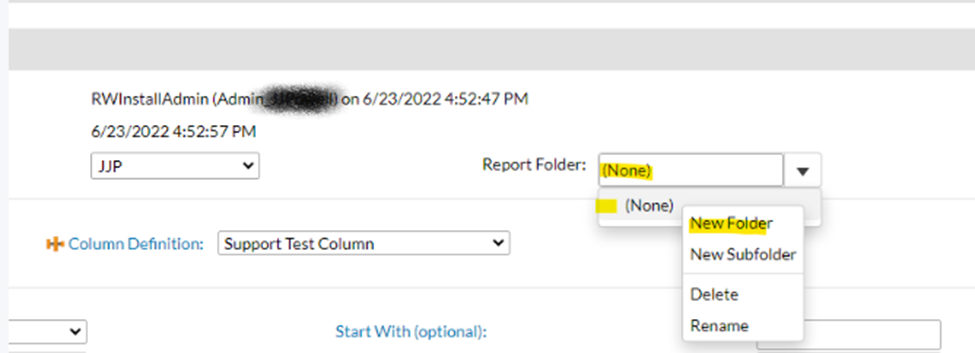
In the Report Definition General Tab, you will see the Report Folder field.
-Click into the field so that you see the folders in gray.
-Then right click in the gray area to see action options.
-You can select "New Folder"
-Give it a name
-Remember to Save!
Example Screen Shot:
Was this article helpful?
That’s Great!
Thank you for your feedback
Sorry! We couldn't be helpful
Thank you for your feedback
Feedback sent
We appreciate your effort and will try to fix the article