There will be set up work within Microsoft Azure and ReportFYI’s Advance Maintenance Settings
The customer will need to have an Azure AD tenant that can register and manage apps.
Registering the application with Azure. Refer to link below for more information.
https://docs.microsoft.com/en-us/azure/active-directory/develop/quickstart-register-app
Note the Application ID and Object ID from the screen below.
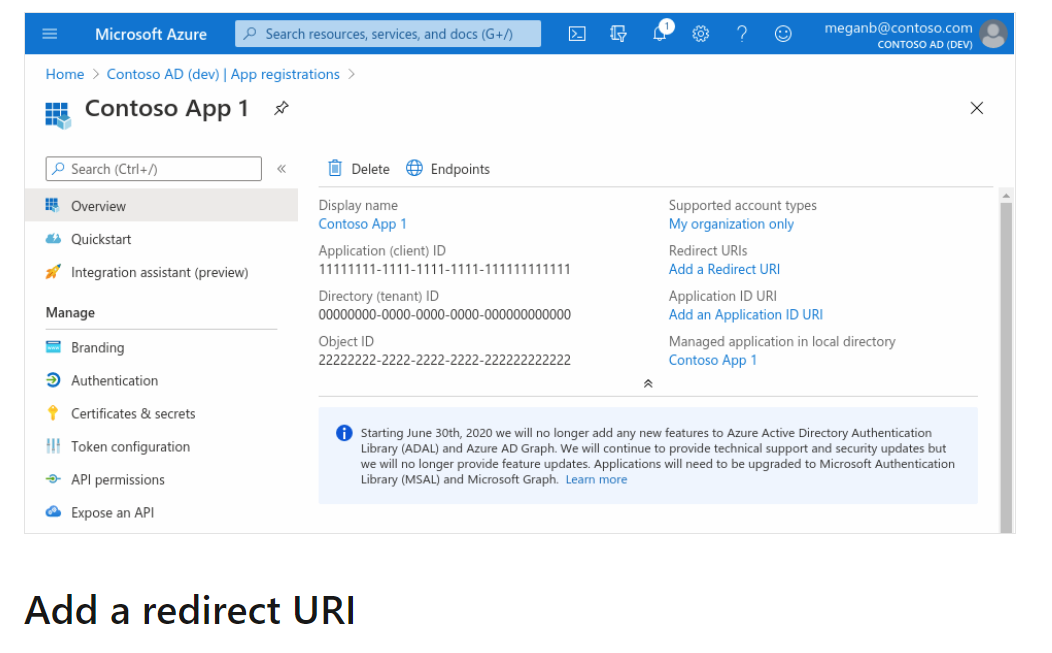
Be sure to add a redirect URI. This needs to be the exact, full web address in lower case for the https URL you use to log into ReportFYI (controlcenter). This should be a fully qualified domain name with a valid, correct SSL certificate.
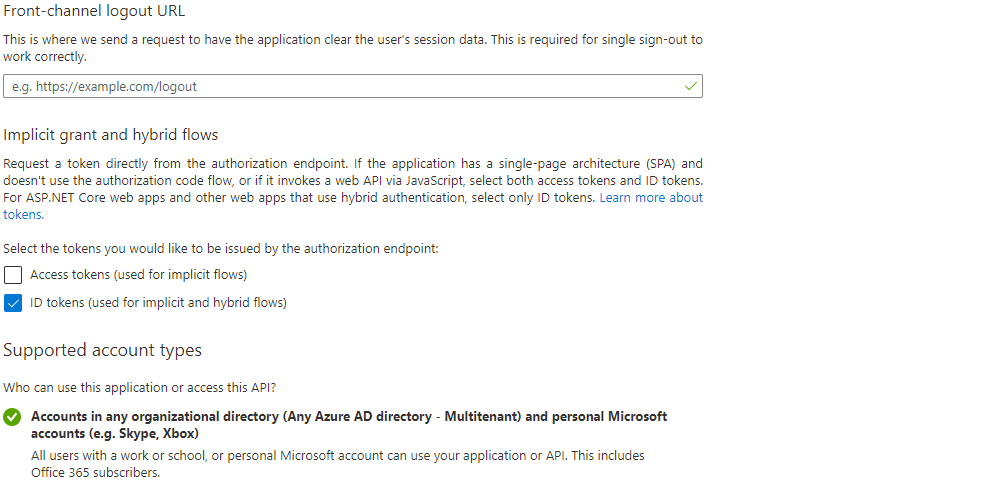
Be sure to use 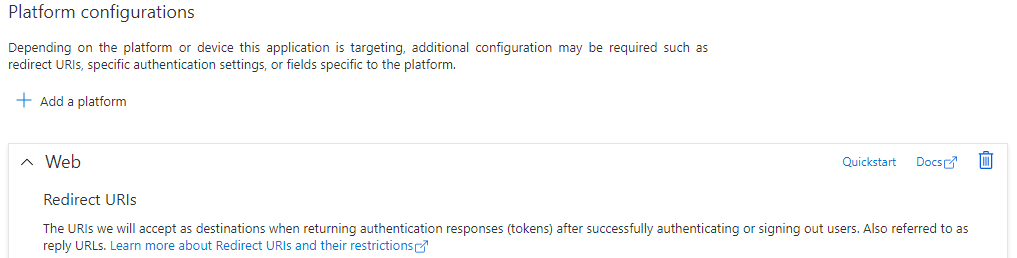
https://domain.con/controlenter/
This URL for ReportFYI.
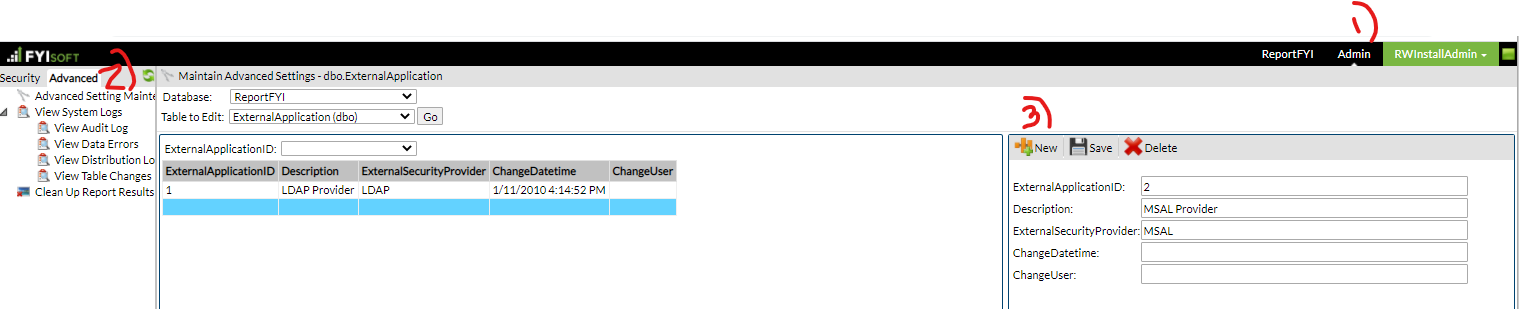
In ReportFYI, with the Renovo (rwinstall) user ID, navigate to Advanced Setting Maintenance and enter an ExternalApplication setting for MSAL.
Choose SecurityCriteria from the Table to Edit Dropdown.

Add two new entries. Be sure to choose the MSAL Provider from the ExternalApplicationID dropdown list.
Enter the following entries for Application ID and Directory ID.
ExternalApplicationID | CriteriaOrder | Description | Value |
2(Next available) | 1 | Application ID | <Application ID from AAD registration> |
2(Next available) | 2 | Directory ID | <Directory ID from AAD registration> |
Was this article helpful?
That’s Great!
Thank you for your feedback
Sorry! We couldn't be helpful
Thank you for your feedback
Feedback sent
We appreciate your effort and will try to fix the article