Issue - ConnectFYI Notification Emails are not sent.
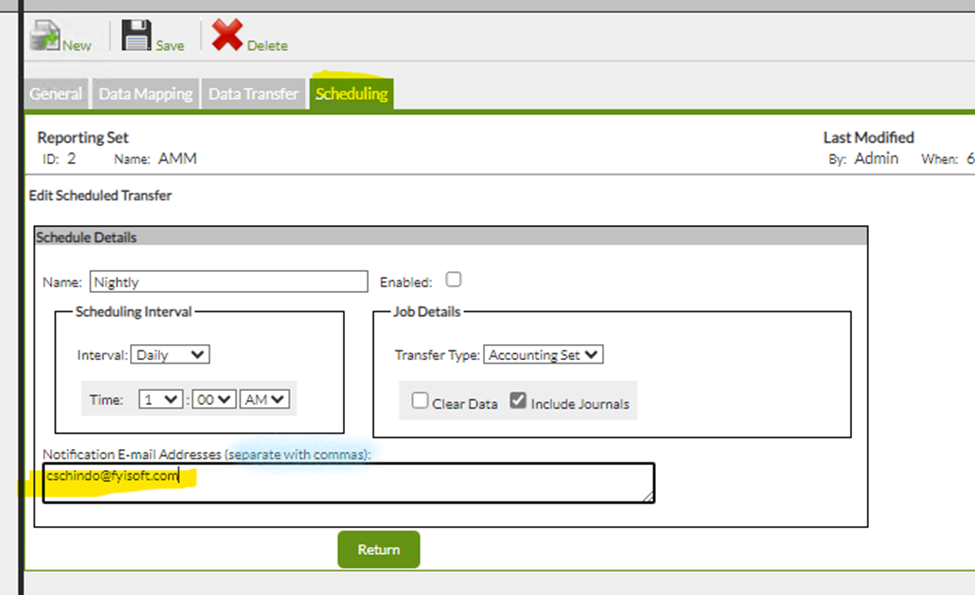
Assumption: A valid email address is placed in the notification field of the application.
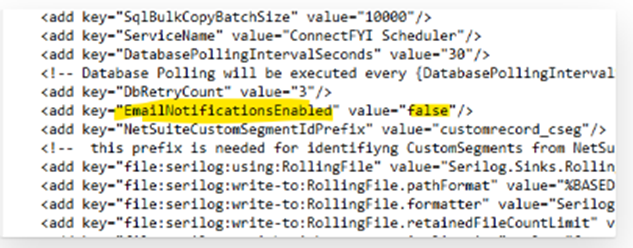
Make sure the Email Notification Enabled value is set to “true” in the ConnectFYI.Scheduler.exe config file.
Usually this is located at the below location.
C:\Program Files (x86)\FyiSoft\ConnectFYI Scheduler\ ConnectFYI.Scheduler.exe.config
Additional trouble shooting steps in the config file:
Steps for troubleshooting are almost identical with steps used for Dist. Svc.
The biggest difference is that the CFYI Scheduler MUST have the details put into its RDM.Service.exe.config....
<system.net>
<mailSettings>
<!-- SMTP mail transport settings (MUST be set for e-mail to work!) -->
<smtp from="TestUser@Test.com">
<network host="127.0.0.1" port="25"/>
</smtp>
</mailSettings>
</system.net>
... and the destination email address MUST be in the job (
Also the Scheduler MUST be restarted if changes are made to its config.
Was this article helpful?
That’s Great!
Thank you for your feedback
Sorry! We couldn't be helpful
Thank you for your feedback
Feedback sent
We appreciate your effort and will try to fix the article