Error message is prompted when clicking on a component.
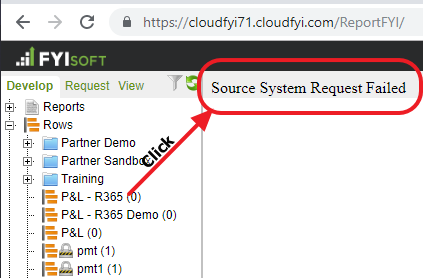
Root Cause - The user was not assigned to the correct financial set
Steps to resolve:
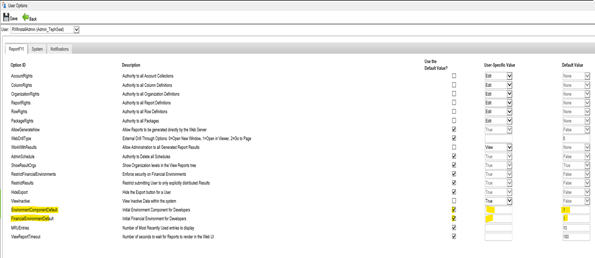
In Admin/Security/Users, select the user with the issue and click on the User Options link.
For the Environment Component and Financial Environment Default options, uncheck the use default value boxes and place a valid entry in the user specific fields. The issue may be caused by only one of these defaults, so you might not have to change both.
Was this article helpful?
That’s Great!
Thank you for your feedback
Sorry! We couldn't be helpful
Thank you for your feedback
Feedback sent
We appreciate your effort and will try to fix the article