This message is logged in the View Data Errors section of FYIsoft when a report is generated and the column definition assigned to the report definition contains a Book Code that does not match exactly (case sensitive) with the ConnectFYI Mapping, or Source GL.
In Develop/Change Financial Environment you can select the Financial Set, and Query the Financial Set for the Balance Codes to confirm the Book Code value.

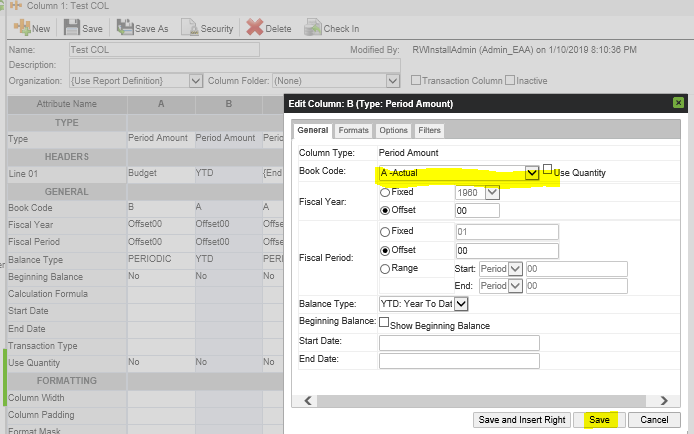
Then go to the Column and reset any books codes that do not match.
Was this article helpful?
That’s Great!
Thank you for your feedback
Sorry! We couldn't be helpful
Thank you for your feedback
Feedback sent
We appreciate your effort and will try to fix the article